KVM over IP Matrix Manager (CCKM)
ATEN’s CCKM provides IT administrators with tools to centralize the control and management of KVM over IP extenders in their IT environment. It features redundancy, advanced authentication, and user-friendly web-based GUI for streamlined IT operations.
Manajemen KVM Over IP dengan ATEN CCKM
Solusi modern untuk manajemen terpusat, transmisi data berkecepatan tinggi, dan koneksi jarak jauh yang andal.

KVM over IP Matrix Manager (CCKM)
ATEN’s CCKM provides IT administrators with tools to centralize the control and management of KVM over IP extenders in their IT environment. It features redundancy, advanced authentication, and user-friendly web-based GUI for streamlined IT operations.
Features
Management
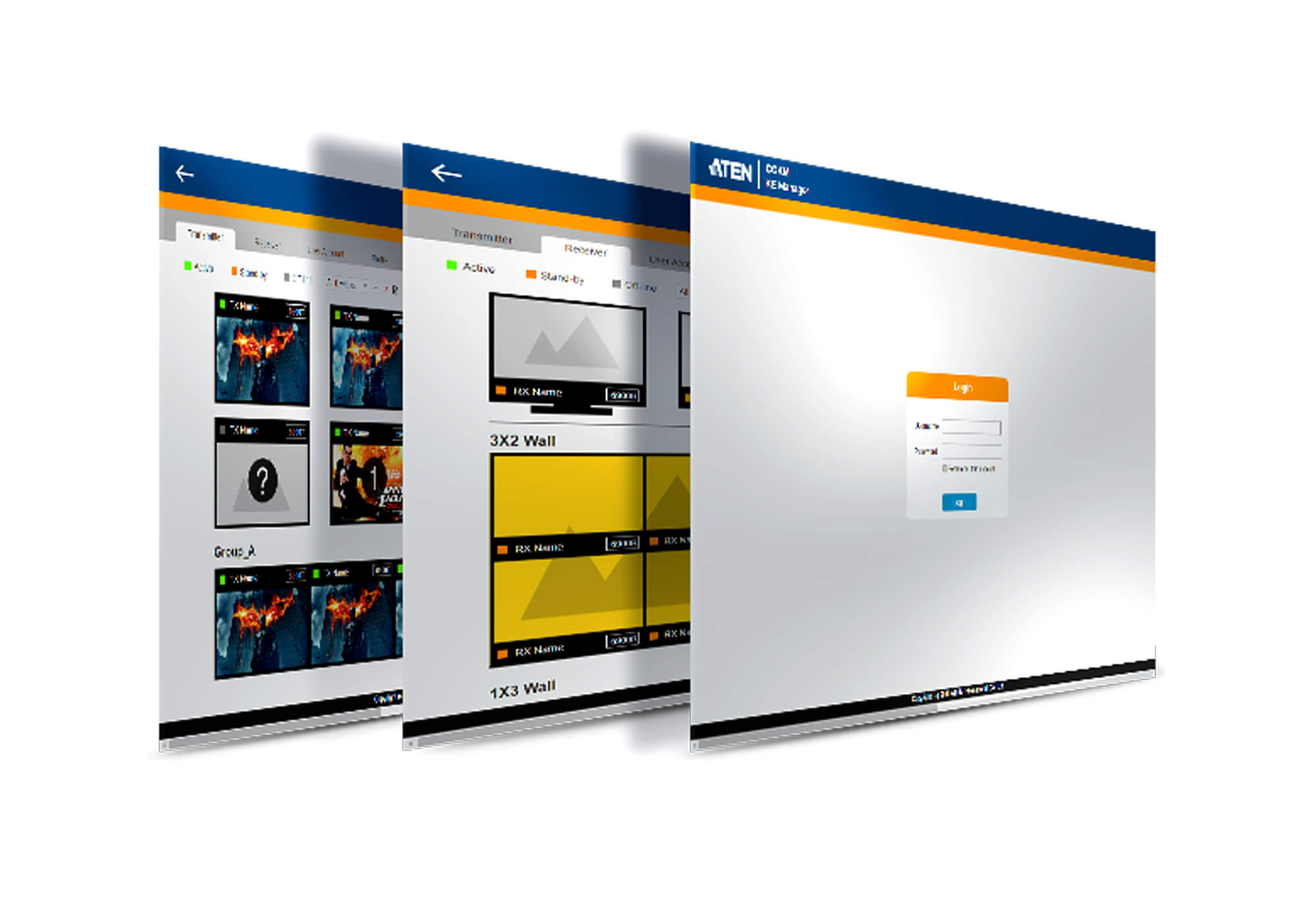
- Centralized CCKM with intuitive web-based GUI.
- ATEN Matrix Link – remote iPad management.
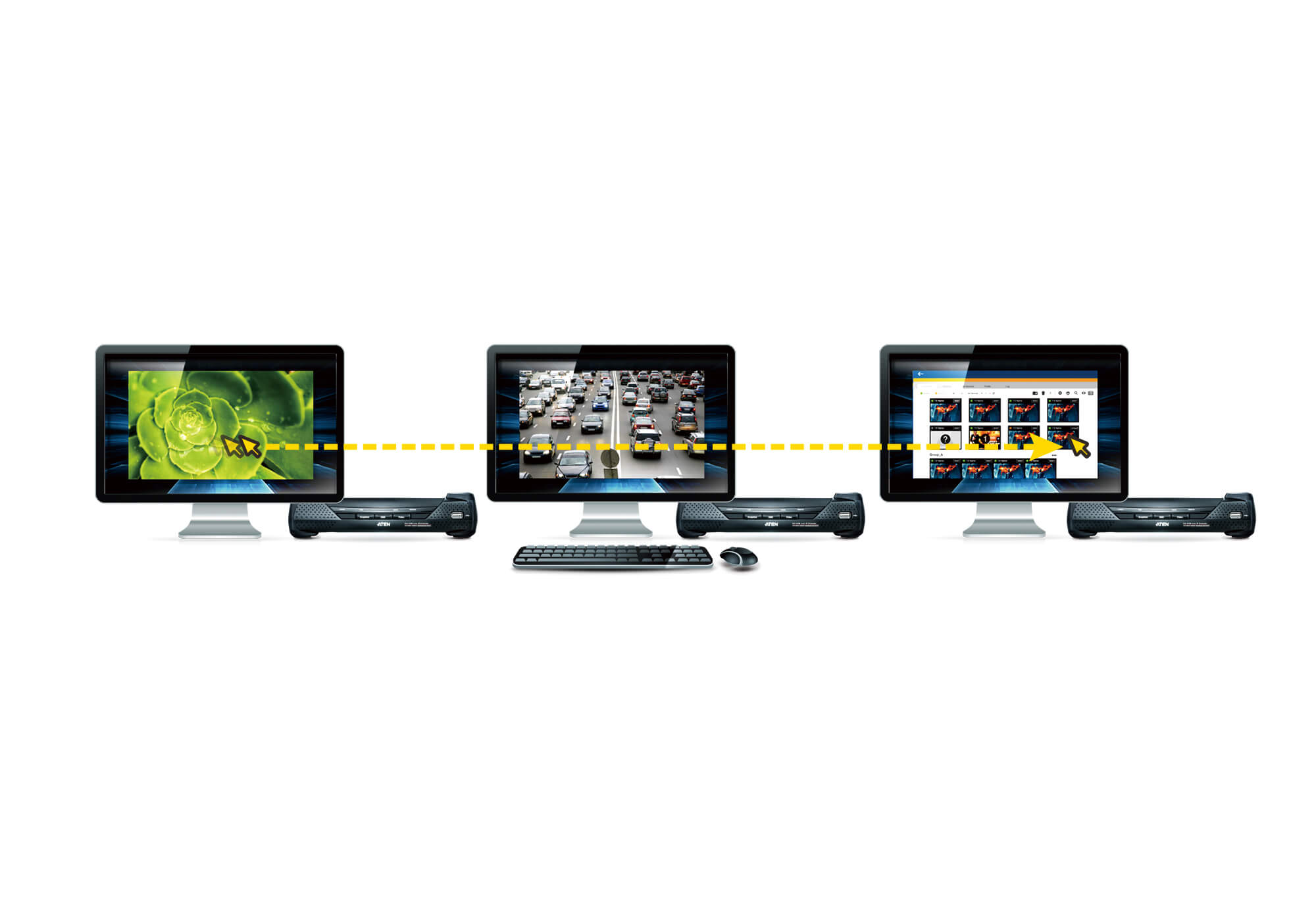
- One-to-one, one-to-many, many-to-one and many-to-many Tx / Rx connections.
- Profiles save and reserve unlimited Tx to Rx connections.
- Channel connections for streaming video, audio, USB, and serial independently.
- Configurable user/group permissions for secure access control.
- Set access modes on Tx devices for collaboration or avoiding interference.
- Primary-Secondary Infrastructure with up to 5 secondary servers for failover and real-time sync.
- Dashboard to view extender status and latest system events.
- Connection Redundancy – auto switch to backup Tx upon failure.
- Authentication Lock – auto login after system/network recovery.
Flexible & Efficient Operations
- Exceptional Video Wall Scalability – up to 144 video displays (12x12).
- Advanced Scheduling – set media playback based on time/date for efficiency and cost savings.
- Video grouping of up to 4 sets of extenders for Multi-Display applications.
- Fast switching feature – switch Tx/Rx connections in under a second.
- SNMP Agent / SNMP Trap – auto notifications and GET/SET configurations via predefined OIDs.
Easy-to-Use Interface
- Browser-based GUI with multi-language support to minimize training.
- Multi-browser support: IE, Chrome, Firefox, Safari, Opera.
- Filter and export functions for system event logs.
- Email notifications for specified system events.
- Multi-platform installation: Windows, Linux.
- Client support: Windows, Mac, Linux, Sun.
Advanced Security
- User account authentication and management.
- Supports internal & external authentication (LDAP, AD, RADIUS, TACACS+).
- Data transmission secured with AES encryption.
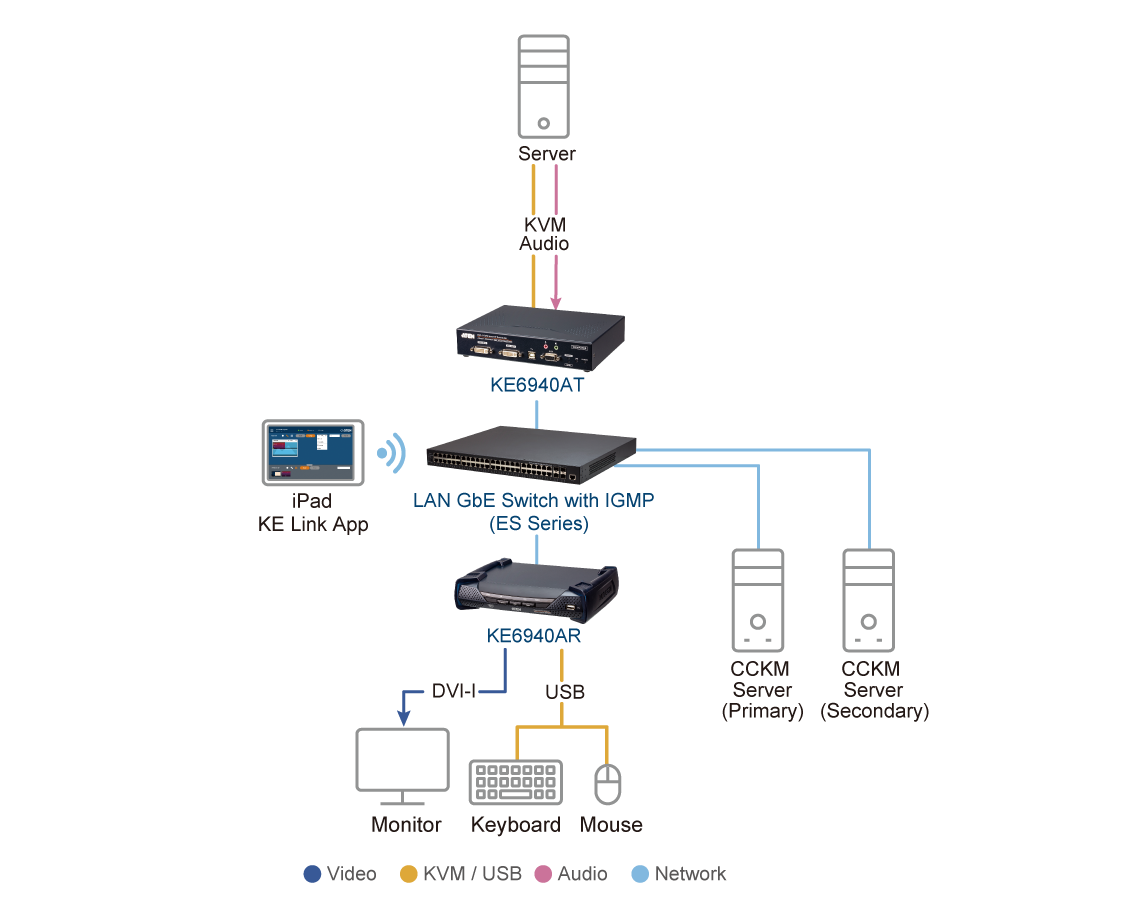
System Diagram
Specifications
Authentication & Security
- User account authentication and management (Admin, Super User, User).
- Supports LDAP, Active Directory, RADIUS, TACACS+.
- Data transmission secured with AES-128/256 encryption.
System & Network
- IPv4, SSH, Telnet
- SNMP v1/v3, Syslog, SMTP
- Backup/restore with encryption
- Device firmware upgrade
- Export logs by day/period/severity (.csv)
OS & Browser Support
- Windows 7, 8.1, 10, 11, Server 2008-2019
- Linux: Ubuntu 16.04, CentOS 7
- macOS 10.8 or higher, Sun
- Browsers: Chrome (70+), Firefox (62+), Safari, Opera, IE 10+
Logs & Redundancy
- System logs, device logs, serial console logs
- SNMP traps and agent
- Primary + up to 5 secondary servers
- Real-time database sync
Multilingual Support
English, 中文(繁/简), 日本語, 한국어, Français, Español, Português, Deutsch, Русский
Others
- System Status Dashboard
- TX/RX Connections Dashboard
- Scheduled Profile Dashboard
- Online User/Account Management
- Instant link & TX/RX Preview Image
- Video Walls & TX/RX groups settings
License & Hardware
License Options
- CCKM USB License Key – Unlimited nodes
- CCKM Virtual License – Unlimited nodes
- Basic (free) – Up to 8 nodes with redundancy
Minimum Hardware Requirements
- CPU: Pentium 4, 2.60 GHz or higher
- Memory: 8 GB
- Storage: 500 MB free space
- Ethernet: Giga LAN
Package Contents
- 1x CCKM USB License Key (not for Virtual License)
- 1x User Instructions
Physical & Environmental
- Housing: Metal & Plastic
- Weight: 0.01 kg (0.02 lb)
- Dimensions: 8.36 x 2.78 x 1.39 cm
- Operating Temp: 0 – 40°C
- Storage Temp: -20 – 60°C
- Humidity: 0–80% RH, Non-condensing
Applications
Broadcasting & Media
Real-time switching, scheduling, and video walls for live production studios.
Control Rooms
Centralized monitoring across multiple displays in transportation, utilities, and security.
Corporate & Education
Flexible management of multimedia systems in classrooms, meeting rooms, and enterprises.